
Play Sprunki Mix and explore the game collection
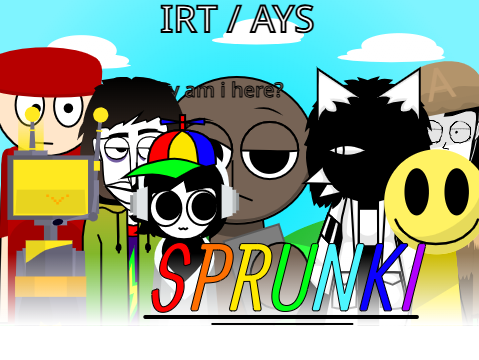
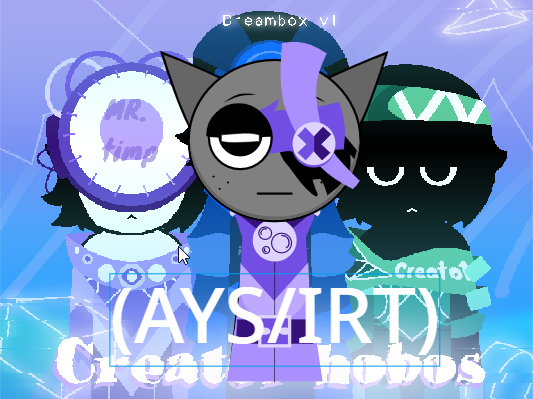
Sprunkik brings together six browser game entries: Sprunki Mix, Sprunki IRT/AYS, Sprunki Gray Cat, Sprunki Sonic, Sprunki Phase 1, and Sprunki Phase 2. The player on this page opens Sprunki Mix. Use the game cards to choose another entry rather than expecting the homepage player to contain every version. The language links change the surrounding website text; they do not necessarily change the language inside the game. Each player loads a separate game document, so the website and the game can finish loading at different times.
This page is a starting point for choosing a session and understanding the controls around the player. It does not promise that every version has the same characters, unlocks, recording tools, or saving options. Read the instructions shown inside the version you open before relying on a feature described for another game. If your immediate problem is a blank player or missing audio, use our loading and sound guide rather than repeatedly restarting a session that might still be downloading.
Start with a small musical idea
For a mixing session, decide what you want to hear before filling every available position. A steady pulse, a short melodic phrase, or a contrast between two voices gives you something specific to listen for. Begin at a comfortable volume and add one sound at a time using the controls available in the game. Let the combination repeat before changing it. Hearing several repetitions makes it easier to tell whether two parts support one another or compete for attention.
Try an arrangement with a rhythmic foundation and one contrasting part. Then compare it with a version that leaves more space. A fuller arrangement is not automatically a better one: overlapping sounds can hide the element you meant to emphasize. Treat the activity as listening and experimentation, rather than a race to activate everything. Our first-mix practice guide offers a step-by-step exercise that does not depend on a particular hidden character or special unlock.
Choose a version deliberately
The collection offers separate pages for IRT/AYS, Gray Cat, and Sonic. Open the entry you intend to explore and check its own player instructions. A familiar name or visual theme is not proof of an official relationship with another game publisher. Names identify the entries in this directory; they are not a guarantee that a version offers competitive play, downloadable music, or the mechanics of another game with a similar name.
Phase 1 and Phase 2 also have separate players. You can compare them in sequence, but the website does not transfer a session between those pages. Write down what you want to compare, such as how easy it is to identify individual sounds or understand the available controls. This is more useful than assuming a number in a title means progress will carry over. Close a previous player before listening to the next one so their audio does not overlap.
Understand Fullscreen and Restart
The Fullscreen button belongs to the surrounding Sprunkik page. It enlarges the player area; it does not install software or add new game features. Desktop browsers and mobile browsers handle fullscreen differently. If the display feels cramped, try rotating your device or returning to the normal page view. Browser controls may remain visible on some devices, and an orientation change is not evidence that the game has saved your session.
Restart reloads the embedded game address. Use it when you intentionally want to start over or after a failed load, not as a way to save an arrangement. A reload can discard the current session and may download resources again. Before restarting, note any combination you want to remember. The website has no account-based save or export control of its own; any in-game saving or recording feature must be checked inside that particular player.
Play comfortably on a phone or tablet
Start in the regular page view and make sure you can distinguish the game controls from the website navigation. If a drag action scrolls the page instead of moving an item, try the larger player view and a deliberate touch inside the game. Avoid opening several audio games at once: that makes it harder to identify which tab is playing and can increase memory use. Headphones are optional; keep volume modest when first testing unfamiliar sounds.
When performance is uneven, change one condition at a time. Close unused tabs, retry on a stable connection, or compare the same page in another current browser. Do not install an extension or download a supposed player update from an advertisement to make a browser game work. A failed embed can also originate with its provider, so changing your own settings is not always the solution. The troubleshooting guide explains how to distinguish a website problem from an individual player problem.
Know what loads when you visit
Some entries load game files from the Sprunkik asset subdomain, while others use external providers. The player is a separate browsing context, and its provider may receive connection information when it loads. Our privacy policy explains the website's analytics, advertising integration, local preferences, and embedded content. It also links to the available analytics and advertising choices. The website's analytics opt-out does not control a third-party game's own data collection.
For a useful first visit, choose one game, try a small arrangement, learn what its controls actually do, and only then compare a second version. You do not need to follow a claim about secret features or complete a download to use this directory. The aim of the accompanying guides is to help you make informed choices and solve common browser problems while keeping the game itself central to the page.